
10 Must-Have Freelancing Tools Compared by Cost: Which Budget Tier Wins?
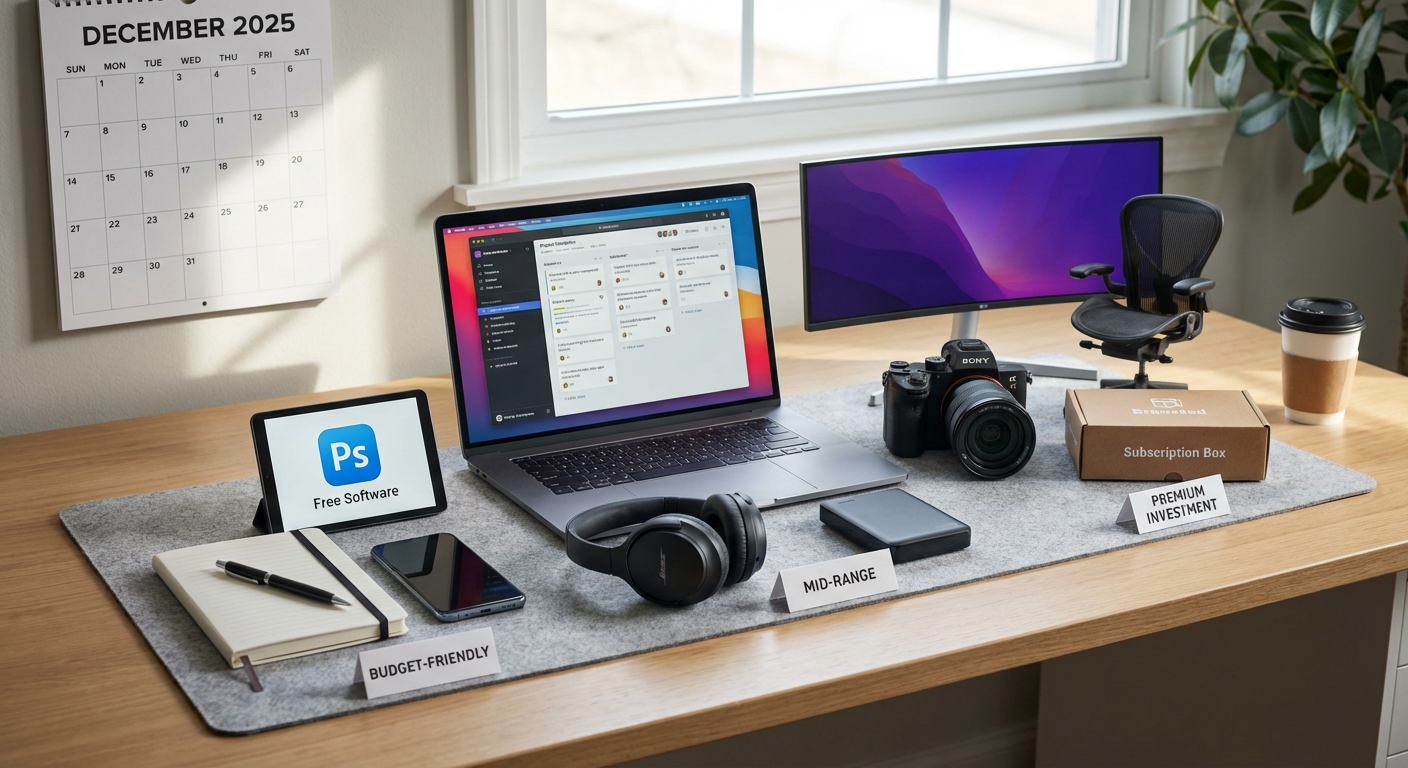
Choosing the right tools for your freelancing business means balancing what you need against what you can afford. This list compares essential freelancing tools across different price points, examining the trade-offs between free, budget-friendly, and premium options. You’ll see how each category performs, where you might save money without sacrificing quality, and when paying more actually pays off. Whether you’re bootstrapping or ready to invest, understanding these cost comparisons will help you build a smarter toolkit.
- Legiit vs. Traditional Freelance Marketplaces: The Cost-Efficiency Battle

Legiit stands out when compared to platforms like Upwork or Fiverr because it charges significantly lower fees to freelancers. While most marketplaces take 20% or more of your earnings, Legiit offers a seller-friendly fee structure that lets you keep more of what you earn. The platform also provides built-in upsells and buyer management tools without extra charges, which means you get more functionality at a lower cost.
The trade-off comes down to audience size versus value per client. Larger platforms have more buyers browsing daily, but Legiit attracts clients who understand the value of professional services and are often willing to pay fairly. For freelancers tired of racing to the bottom on pricing, Legiit offers a middle ground between high-volume, low-margin work and building a completely independent client base.
- Free Invoicing Tools vs. Paid Accounting Software: FreshBooks Compared to Wave
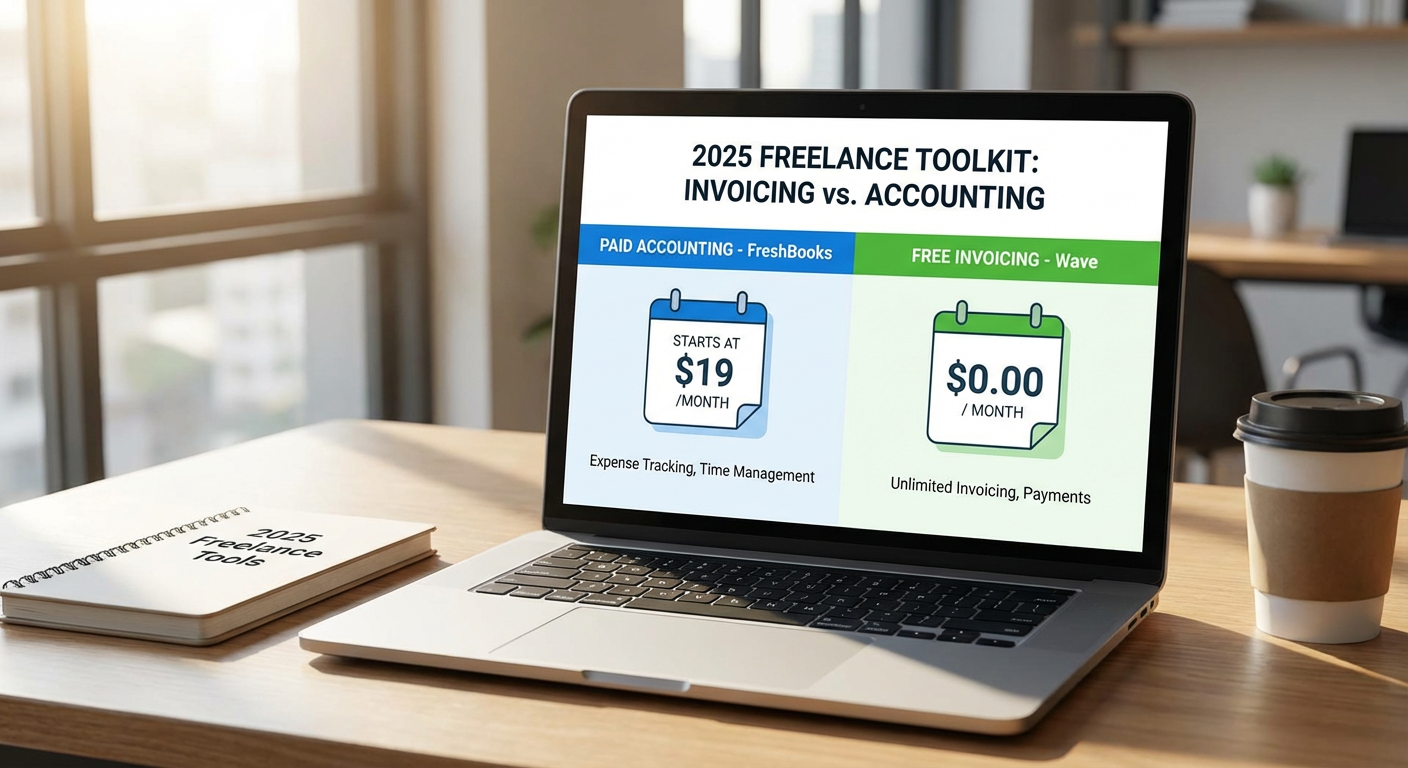
Wave offers completely free invoicing, accounting, and receipt scanning, making it perfect for freelancers just starting out or those with straightforward finances. The catch is that you’ll pay transaction fees if you use their payment processing, and customer support is limited. FreshBooks, starting around $17 monthly, provides a more polished experience with time tracking, project management features, and responsive support.
The real question is whether you need the extra features. If you send fewer than ten invoices monthly and don’t need detailed reporting, Wave handles the basics without costing a cent. FreshBooks becomes worthwhile when you’re juggling multiple clients, tracking billable hours, or need to generate professional reports for tax purposes. Many freelancers start with Wave and migrate to FreshBooks as their business grows and complexity increases.
- Canva Free vs. Canva Pro vs. Adobe Creative Cloud: The Design Tool Showdown
Canva’s free version gives you thousands of templates and basic design capabilities, perfect for social media graphics and simple client presentations. Canva Pro, at roughly $13 monthly, adds brand kits, background remover tools, and a massive content library that saves hours of work. Adobe Creative Cloud, starting around $55 monthly for all apps, delivers professional-grade tools but requires a steeper learning curve.
For most freelancers who aren’t professional designers, Canva Pro hits the sweet spot between capability and cost. You get 90% of what you need for proposals, marketing materials, and client deliverables at a fraction of Adobe’s price. Adobe becomes necessary only if you’re doing professional design work, need advanced photo editing, or clients require files in specific formats. The time you save with Canva’s templates often outweighs Adobe’s additional power unless design is your core service.
- Google Workspace vs. Microsoft 365: Productivity Suite Economics
Google Workspace starts at $6 per month and gives you professional email, cloud storage, and collaboration tools that work smoothly across devices. Microsoft 365, beginning around $6 monthly for basic plans, offers the familiar Office applications plus cloud storage and email. The pricing looks similar on the surface, but the value proposition differs based on your workflow and client expectations.
Google’s strength lies in real-time collaboration and simplicity. Documents auto-save, sharing is straightforward, and most clients can access files without compatibility issues. Microsoft edges ahead if you need advanced features in Word, Excel, or PowerPoint, or if your clients work primarily in Office formats. Many freelancers find Google sufficient for daily operations and keep a basic Microsoft subscription for those occasions when a client sends a complex Excel file. The cost difference becomes negligible, so your choice should reflect which ecosystem meshes better with your work style and client base.
- Free Time Tracking vs. Premium Solutions: Toggl Track Across Price Tiers
Toggl Track offers a free plan for solo freelancers that includes basic time tracking and reporting, which covers the essentials for billing clients accurately. The paid plans, starting at $10 monthly, add features like billable rates, project templates, and team management if you collaborate with others. Compared to alternatives like Harvest or Clockify, Toggl provides the cleanest interface and most reliable syncing across devices.
The decision point is whether you need detailed analytics and integrations. The free version works fine if you simply need to record hours and generate basic invoices. Paying for Toggl becomes valuable when you want to analyze where your time goes, identify profitable projects, or integrate time data directly into your invoicing system. The efficiency gains from automated workflows often justify the cost once you’re billing more than 20 hours weekly. Starting free and upgrading based on actual need prevents overspending on features you won’t use.
- Basic CRM vs. Full-Featured Systems: HubSpot Free Compared to Paid Alternatives
HubSpot’s free CRM gives you contact management, deal tracking, and email integration without spending anything. This works well for freelancers managing up to 50 active client relationships. Paid CRM options like Pipedrive or Zoho start around $15 monthly and add automation, custom pipelines, and advanced reporting that become helpful as your client base expands.
The comparison comes down to complexity and scale. HubSpot’s free tier handles relationship management for most solo freelancers without overwhelming you with features you don’t need. Paid systems make sense when you’re spending significant time on repetitive tasks like follow-up emails, proposal tracking, or lead scoring. Many freelancers overestimate their CRM needs early on. Starting with HubSpot’s free version lets you understand what features actually matter to your workflow before committing monthly fees. Upgrading becomes worthwhile when manual processes start costing you more in time than the subscription would cost in money.
- Password Managers Compared: Free Options vs. Premium Security
Free password managers like Bitwarden cover the basics: secure storage, password generation, and syncing across devices. Premium versions of Bitwarden, LastPass, or 1Password cost between $3 and $5 monthly per user and add features like secure file storage, emergency access, and priority support. For freelancers handling client credentials and sensitive project data, this becomes a security investment rather than just a convenience tool.
The value equation shifts based on your risk exposure. If you’re managing client accounts, storing API keys, or accessing sensitive systems, the premium features like security audits and breach monitoring justify the minimal cost. The difference between free and paid password managers is smaller than the potential cost of a security incident. Most freelancers find that even basic paid plans provide enough peace of mind and professional capability. The few dollars monthly represents insurance against both data breaches and the productivity loss from forgotten passwords or locked accounts.
- Project Management: Trello Free vs. Asana Premium vs. Notion
Trello’s free plan offers unlimited cards and boards with basic automation, suitable for freelancers managing a handful of projects simultaneously. Asana’s free tier supports up to 15 team members with timeline views and basic workflows. Notion provides a generous free plan for individuals with databases, wikis, and project tracking combined. Paid versions range from $5 to $25 monthly depending on features needed.
The comparison gets interesting because each tool excels at different things. Trello wins for visual thinkers who like kanban boards and simple drag-and-drop management. Asana works better for complex projects with dependencies and multiple stakeholders. Notion appeals to freelancers who want an all-in-one workspace combining notes, tasks, and databases. Most freelancers can operate effectively on free plans until client projects become complex enough to require advanced features like custom fields, timeline views, or automation. Testing each free version reveals which mental model matches your planning style before you commit to paying.
- Email Marketing Tools: Free Tiers Compared Across Platforms
Mailchimp, ConvertKit, and Sender all offer free plans with different limitations. Mailchimp gives you 500 contacts and basic templates but adds its branding to emails. ConvertKit’s free tier supports up to 1,000 subscribers but limits some automation features. Sender provides 2,500 subscribers on the free plan with more generous features but less brand recognition. Paid plans start between $9 and $29 monthly.
The cost comparison matters less than matching features to your actual email strategy. If you’re building a newsletter to stay connected with past clients and prospects, Sender’s generous free tier handles most needs. ConvertKit becomes worthwhile if you’re selling digital products and need sophisticated automation sequences. Mailchimp makes sense if you need extensive integrations with other tools. Many freelancers waste money on email marketing features they never use. Start with the most generous free plan, and only upgrade when you’re actually hitting the subscriber limits or missing specific automation capabilities that would save you hours monthly.
- Video Calling: Zoom Free vs. Google Meet vs. Paid Professional Plans
Zoom’s free plan limits meetings to 40 minutes with up to 100 participants, which covers most client calls. Google Meet, included with free Gmail or Google Workspace, offers 60-minute meetings without participant limits. Paid Zoom plans start at $15 monthly and remove time limits while adding recording storage and other features. The comparison extends to Microsoft Teams and other platforms, each with different free and paid tiers.
For client-facing freelancers, the decision hinges on meeting length and recording needs. Most discovery calls and check-ins fit comfortably within free tier limits. Paying for Zoom becomes necessary when you regularly run workshops, training sessions, or long strategy meetings that exceed 40 minutes. Google Meet through Workspace makes sense if you’re already paying for professional email, as it bundles the cost. The quality and reliability across all these platforms is now comparable, so choose based on what your clients use most comfortably. Recording and transcription features in paid plans can justify the cost if you reference call content frequently or need documentation for project scope discussions.
The smartest freelancers don’t automatically choose the most expensive tools or stick with free options out of habit. They compare features against actual needs, test free tiers before committing, and upgrade only when the time savings or capability gains clearly outweigh the costs. Start with free versions wherever possible, track which features you actually miss, and let your real workflow dictate where you invest. Your tool stack should grow with your business, not ahead of it. The money you save on unnecessary subscriptions can fund the tools that genuinely make you more productive and profitable.