10 Essential Resources for Starting and Growing a SaaS Business

10 Essential Resources for Starting and Growing a SaaS Business

Building a software as a service company requires more than just a great idea and coding skills. You need access to the right tools, communities, and knowledge bases that can help you avoid common mistakes and accelerate your growth. Whether you’re still validating your concept or already serving your first customers, these resources will give you practical support at every stage. This list covers everything from finding talented freelancers to learning from experienced founders who have walked the path before you.

  1. LegiitLegiit

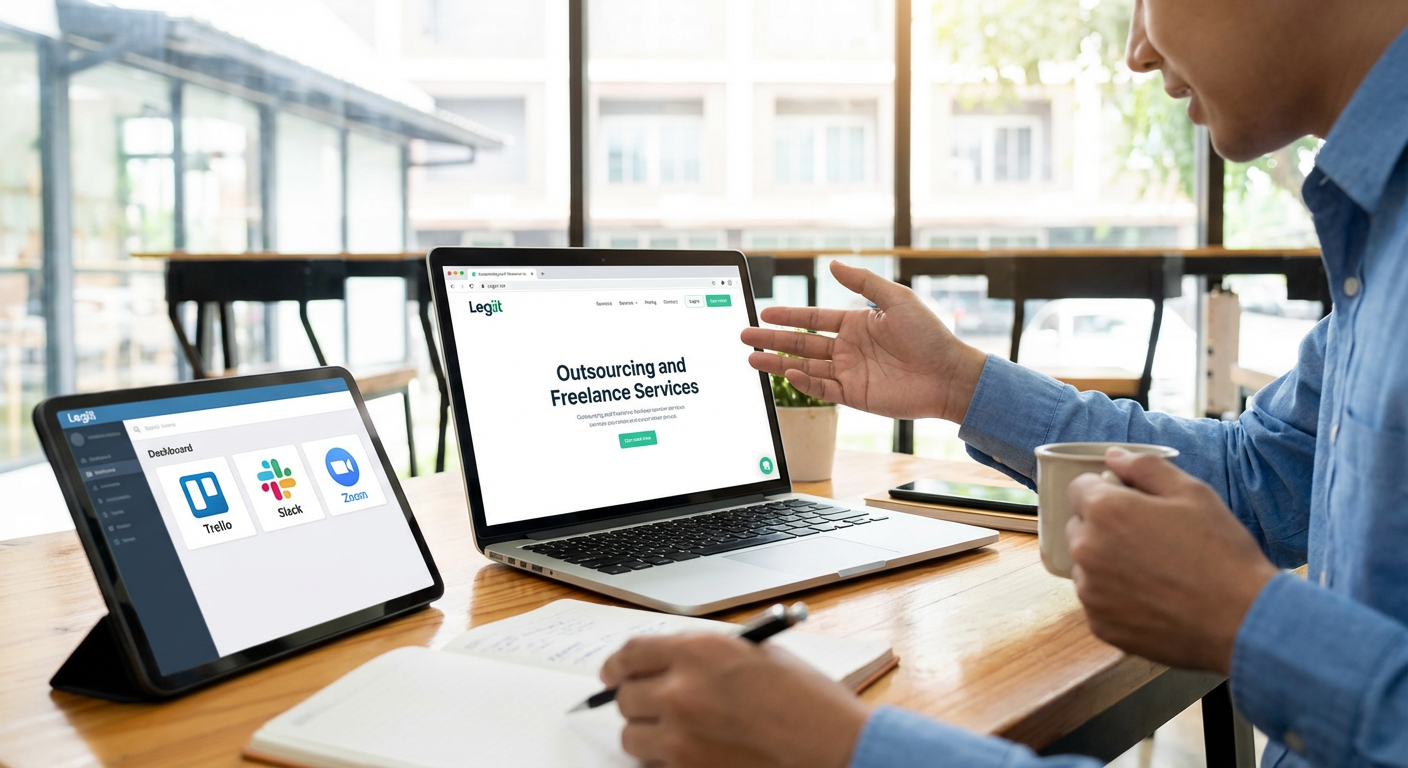
    Finding reliable help for your SaaS business can make or break your early momentum. Legiit connects you with skilled freelancers who specialize in services that SaaS founders need most, from web development and design to marketing and content creation. The platform focuses on digital services, which means you can find people who understand software products and online business models. You can browse portfolios, read reviews from other clients, and hire experts without the overhead of full-time employees. For bootstrap founders who need to stretch every dollar while maintaining quality, this marketplace offers a practical way to build your team as you grow.

  2. Indie HackersIndie Hackers

    This community brings together thousands of founders who are building profitable businesses, many of them in the SaaS space. You can read detailed interviews with founders who share their revenue numbers, growth strategies, and honest accounts of what worked and what failed. The forums are active and helpful, with members offering feedback on everything from pricing models to marketing channels. Rather than generic business advice, you get insights from people who are currently in the trenches building software companies. The transparency around revenue and metrics makes it especially valuable for understanding what realistic growth looks like at different stages.

  3. Product Hunt

    Launching your SaaS product to the right audience can generate your first wave of users and valuable feedback. Product Hunt serves as a daily showcase of new products, where tech enthusiasts and early adopters gather to discover what’s new. A well-timed launch can bring thousands of visitors to your site in a single day and help you understand how real users respond to your pitch. Beyond the launch day itself, being featured helps with SEO and gives you credibility that you can reference in future marketing. The community also provides honest feedback that can help you refine your product and messaging before scaling your marketing efforts.

  4. SaaS Subreddits

    Reddit hosts several active communities focused specifically on software as a service businesses. Subreddits like r/SaaS and r/microsaas offer spaces where founders share their experiences, ask for feedback, and discuss challenges. You’ll find discussions about technical architecture, pricing strategies, customer acquisition, and the emotional ups and downs of building a company. The anonymity of Reddit often leads to more candid conversations than you might find on platforms where people are building personal brands. Reading through past threads can answer many questions before you even need to ask them yourself.

  5. Stripe Atlas

    Setting up the legal structure for your SaaS business can be confusing, especially if you’re incorporating in a country different from where you live. Stripe Atlas simplifies this process by helping you incorporate a U.S. company, open a bank account, and handle initial tax filings. The service includes legal templates for common documents you’ll need and provides guidance on compliance issues that trip up many first-time founders. While there are fees involved, the time saved and mistakes avoided often make it worthwhile. Having a properly structured company from the start also makes it easier to accept payments, work with partners, and raise funding if you choose to go that route.

  6. MicroConf

    This conference series focuses specifically on bootstrapped and small SaaS companies rather than venture-backed startups. The talks and workshops cover practical topics like pricing psychology, reducing churn, and building sustainable growth without external funding. Attending connects you with other founders at similar stages who face the same challenges you do. The community extends beyond the conference itself through online forums and local meetups. For founders who want to build profitable businesses without following the traditional startup playbook, MicroConf provides both education and a supportive peer group that understands your goals.

  7. Baremetrics

    Understanding your metrics is critical for making smart decisions about where to focus your efforts. Baremetrics connects to your payment processor and automatically calculates important SaaS metrics like monthly recurring revenue, churn rate, and customer lifetime value. The visual dashboards make it easy to spot trends and share performance with team members or investors. You can set up automated email reports that keep you informed without having to log in constantly. The forecasting features help you plan for different scenarios and understand how changes to pricing or churn will affect your revenue months down the line. Good metrics turn gut feelings into data-driven decisions.

  8. CustomerIO

    Keeping users engaged after they sign up often determines whether your SaaS business succeeds or fails. CustomerIO lets you send targeted emails and messages based on how people actually use your product. You can create onboarding sequences that guide new users to their first success, send reminders to inactive accounts, or notify customers about features they haven’t tried yet. The behavioral triggers mean you’re reaching people at the right moment with relevant information rather than blasting everyone with the same message. Better communication leads to higher activation rates, lower churn, and more revenue from your existing customer base without spending more on acquisition.

  9. The SaaS Playbook

    This comprehensive guide walks through the entire process of building a SaaS business from initial concept to scaling revenue. Written by experienced founders and operators, it covers topics that textbooks and generic business advice often miss. You’ll find detailed explanations of pricing models, sales processes, customer success strategies, and technical architecture decisions. The playbook includes templates and frameworks you can adapt to your specific situation rather than starting from scratch. Having a reference that addresses SaaS-specific challenges saves you from learning everything through expensive trial and error. The structured approach helps you think through aspects of the business you might otherwise overlook until they become problems.

  10. GitHub Sponsors

    If your SaaS business builds on open source tools or libraries, supporting those projects helps ensure they remain maintained and improved. GitHub Sponsors makes it easy to contribute financially to the developers whose work you depend on. Beyond the practical benefits, engaging with open source communities can help you recruit talented developers who respect companies that give back. You might also find solutions to technical problems by participating in discussions around the projects you use. Some SaaS companies even open source parts of their own codebase to build reputation and attract contributors. The open source ecosystem provides both technical resources and community connections that can accelerate your development.

  11. Intercom on Product Management

    This collection of articles, podcasts, and books from the Intercom team offers deep insights into building products that customers actually want to use. The content covers how to prioritize features, conduct user research, and balance what customers ask for with what they actually need. You’ll learn frameworks for making product decisions when you have limited resources and competing priorities. The focus on messaging and communication helps you explain your product clearly, which directly impacts conversion rates and customer satisfaction. Strong product management skills help you build something people will pay for rather than something that seems like a good idea but fails in the market.

Building a successful SaaS business requires more than technical skills and a good product idea. The resources on this list give you access to experienced communities, practical tools, and proven frameworks that can save you time and help you avoid costly mistakes. Some will be relevant right away, while others become more valuable as your company grows and your challenges evolve. The key is to start engaging with these resources early, learn from people who have already solved the problems you’re facing, and build relationships with other founders who understand your journey. With the right support and knowledge, you can turn your SaaS idea into a sustainable, growing business.

Essential Tools Every Blogger and Content Creator Should Keep in Their Arsenal

Essential Tools Every Blogger and Content Creator Should Keep in Their Arsenal

Building a successful blog or content creation business takes more than just talent and dedication. You need the right tools to streamline your workflow, improve your output, and save precious time. This list covers twelve practical resources that can help you work smarter, not harder. Whether you’re just starting out or looking to refine your process, these tools will help you produce better content more efficiently.

  1. LegiitLegiit

    When you need specialized help with your content projects, Legiit connects you with skilled freelancers who can fill the gaps in your skill set. The platform focuses on digital marketing services, including writers, graphic designers, video editors, and SEO specialists who understand the content creation space. You can find professionals for one-time projects or ongoing work, making it easier to scale your content without hiring full-time staff. The service-based marketplace structure means you can browse portfolios, read reviews, and choose providers that match your budget and quality standards.

  2. WordPressWordPress

    WordPress remains the most popular content management system for good reason. It gives you complete control over your website without requiring advanced technical knowledge. The platform offers thousands of themes and plugins that let you customize every aspect of your site, from layout to functionality. Whether you want to start a simple blog or build a complex membership site, WordPress can handle it. The learning curve is gentle enough for beginners, yet powerful enough that major publications use it daily.

  3. Hemingway Editor

    This writing tool helps you create clearer, more readable content by highlighting complex sentences and common errors. Hemingway Editor shows you which sentences are hard to read, suggests simpler alternatives for complicated words, and identifies passive voice. The visual color-coding system makes it easy to spot problem areas at a glance. Using this editor regularly will train you to write more concisely and improve your natural writing style over time.

  4. BuzzSumo

    Finding content ideas that actually resonate with your audience becomes much easier with BuzzSumo. This research tool shows you which articles and topics are getting the most shares and engagement across social media platforms. You can analyze competitor content, identify trending topics in your niche, and find influencers who might share your work. The insights help you create content that people actually want to read instead of guessing what might work. BuzzSumo also lets you set up alerts for specific keywords, so you can jump on trending conversations while they’re still relevant.

  5. Airtable

    Keeping track of content ideas, publishing schedules, and project details can get messy fast. Airtable combines the simplicity of a spreadsheet with the power of a database, giving you a flexible system for organizing everything. You can create custom views, link related records, and collaborate with team members in real time. Many content creators use it as an editorial calendar, tracking everything from initial ideas through publication and promotion. The visual interface makes it easy to see your entire content pipeline at once.

  6. Loom

    Sometimes explaining something through a quick video is far more efficient than typing out instructions or feedback. Loom lets you record your screen and camera with just a few clicks, creating shareable videos instantly. Content creators use it to communicate with team members, create quick tutorials for their audience, or document processes. The recordings are automatically uploaded and you get a shareable link immediately. This tool has become essential for remote collaboration and creating behind-the-scenes content.

  7. Notion

    Notion functions as an all-in-one workspace where you can write, plan, and organize your entire content operation. You can create databases for tracking article ideas, build wikis for your brand guidelines, and draft posts in a clean writing environment. The flexibility means you can structure it exactly how your brain works, rather than forcing yourself into someone else’s system. Many creators use Notion as their central hub, replacing multiple separate apps with one cohesive workspace. Templates created by the community can give you a head start on building your perfect setup.

  8. AnswerThePublic

    Understanding what questions your audience is actually asking helps you create content that solves real problems. AnswerThePublic aggregates search data to show you common questions, comparisons, and phrases related to any topic. The visual presentation makes it easy to spot patterns and find gaps in your content coverage. This tool is particularly valuable when you’re planning a content series or trying to dominate a particular topic in search results. The free version gives you enough searches to fuel your content planning without spending a dime.

  9. Pocket

    Staying informed and inspired requires consuming a lot of content, but you can’t always read everything the moment you find it. Pocket lets you save articles, videos, and web pages to read later on any device. The app strips away ads and clutter, giving you a clean reading experience. Many content creators use Pocket to build a swipe file of inspiration, saving examples of great writing, design, or content structure. The tagging system helps you organize saved items by topic, making it easy to find that perfect example when you need it.

  10. Grammarly

    Even experienced writers make typos and grammatical errors, especially when working quickly. Grammarly catches mistakes as you type across almost any platform, from email to social media to your content management system. Beyond basic spelling and grammar, it suggests improvements for clarity, tone, and engagement. The tool learns your writing style over time and adjusts its suggestions accordingly. While no automated tool replaces human editing, Grammarly catches the obvious errors before anyone else sees them.

  11. Google Analytics

    You can’t improve what you don’t measure, and Google Analytics shows you exactly how people interact with your content. The free tool reveals which articles get the most traffic, where your visitors come from, and how long they stay on each page. This data helps you double down on what works and fix what doesn’t. You can track specific goals, like email signups or product purchases, to see which content actually drives results for your business. The insights often surprise you, showing that your favorite piece might not be what resonates most with your audience.

  12. Todoist

    Managing all the moving parts of content creation requires a reliable task management system. Todoist keeps your to-do lists organized with projects, sub-tasks, and due dates that sync across all your devices. You can set recurring tasks for regular publishing schedules, use labels to categorize different types of work, and see everything you need to accomplish in one place. The satisfaction of checking off completed tasks provides a small motivation boost throughout your day. Simple enough to use daily yet powerful enough to handle complex projects, Todoist helps ensure nothing falls through the cracks.

The right tools can transform your content creation process from chaotic to controlled. Start with one or two tools that address your biggest pain points, then gradually add others as you identify new needs. Remember that tools are meant to support your work, not complicate it. Focus on mastering the essentials before adding more to your stack. With these resources in place, you’ll spend less time wrestling with logistics and more time creating content that connects with your audience.

15 Essential Tools & Services for E-commerce Store Owners Who Want to Work Smarter

15 Essential Tools & Services for E-commerce Store Owners Who Want to Work Smarter

Running an online store means juggling a hundred tasks at once. From product sourcing to customer support, every piece matters. The good news is you don’t have to do it all manually. Smart store owners rely on the right tools and services to handle the heavy lifting so they can focus on growth. This list covers fifteen practical resources that solve real problems for e-commerce businesses of all sizes.

  1. Legiit for Freelance ServicesLegiit for Freelance Services

    When you need professional help with marketing, design, or technical work, Legiit connects you with freelancers who specialize in e-commerce. The platform focuses on digital services that online stores actually need, from product photography to SEO optimization. You can browse service listings with clear pricing, read reviews from other store owners, and hire quickly without the back-and-forth of traditional freelance platforms. Many services are available at fixed rates, which makes budgeting straightforward. Whether you need a one-time project or ongoing support, Legiit offers a practical way to expand your team without hiring full-time employees.

  2. Email Marketing PlatformsEmail Marketing Platforms

    Email remains one of the most effective ways to reach customers and drive repeat purchases. A solid email platform lets you send abandoned cart reminders, product announcements, and personalized recommendations based on browsing behavior. Look for services that offer automation workflows, so you can set up welcome sequences and post-purchase follow-ups once and let them run. Most platforms also provide templates designed specifically for online stores, making it easy to create professional-looking emails even if design isn’t your strong suit. The return on investment for email marketing typically outperforms most other channels when done correctly.

  3. Shipping Rate Calculators

    Shipping costs can make or break a sale. Real-time rate calculators integrate with major carriers and show customers accurate shipping prices at checkout. This transparency reduces cart abandonment and eliminates the surprise fees that drive people away. Some services also compare rates across multiple carriers automatically, helping you choose the most affordable option for each order. If you ship internationally, these tools become even more valuable by handling customs calculations and delivery estimates for different countries.

  4. Inventory Management Software

    Tracking stock levels manually leads to overselling, stockouts, and frustrated customers. Good inventory software syncs across all your sales channels, updating quantities in real time as orders come in. You can set low-stock alerts to reorder before running out, track which products move fastest, and forecast future inventory needs based on historical data. For stores with physical locations or warehouses, these systems can also manage multiple storage locations and handle transfers between them. The time saved on spreadsheets alone makes this type of tool worthwhile.

  5. Customer Service Help Desks

    As your store grows, managing customer questions through personal email becomes impossible. Help desk software centralizes all support requests in one place, whether they come from email, chat, or social media. You can assign tickets to team members, track response times, and create canned responses for common questions. Many platforms include knowledge base features, allowing customers to find answers themselves before contacting you. This reduces your workload while improving response times and customer satisfaction.

  6. Payment Gateway Services

    Accepting payments securely is non-negotiable for any online store. Modern payment gateways handle credit cards, digital wallets, and alternative payment methods while managing fraud detection and PCI compliance for you. Compare transaction fees carefully, as they vary widely between providers and can significantly impact your profit margins. Some gateways also offer features like subscription billing, installment plans, and multi-currency support if you sell internationally. Make sure whichever service you choose integrates cleanly with your e-commerce platform to avoid technical headaches.

  7. Analytics and Reporting Tools

    You can’t improve what you don’t measure. Analytics tools show you which products sell best, where your traffic comes from, and where customers drop off in your purchase funnel. This data helps you make informed decisions about inventory, marketing spend, and website improvements. Look for platforms that track both website behavior and sales performance in one dashboard. Some tools also offer cohort analysis, showing you how customer behavior changes over time and which acquisition channels bring the most valuable shoppers.

  8. Product Photography Services

    Online shoppers can’t touch or try your products, so images carry enormous weight in purchase decisions. Professional product photography makes your store look credible and helps customers understand exactly what they’re buying. If hiring a local photographer isn’t feasible, remote photography services let you ship products to a studio that handles shooting and editing. High-quality images reduce returns by setting accurate expectations and increase conversion rates by making products more appealing. Investing in good photos typically pays for itself quickly through improved sales.

  9. Accounting and Bookkeeping Software

    Tax time becomes much less painful when your financial records are organized throughout the year. E-commerce accounting software automatically imports transactions from your store and payment processors, categorizes expenses, and generates reports for your accountant. Many platforms can track inventory costs using methods like FIFO or average cost, which matters for calculating accurate profit margins. Some services also handle sales tax calculations across different jurisdictions, a complex task that trips up many store owners. Even if you work with a professional accountant, having clean books saves them time and saves you money.

  10. Social Media Scheduling Tools

    Maintaining an active social media presence takes time that most store owners don’t have. Scheduling tools let you batch-create content and queue posts across multiple platforms for the week or month ahead. This consistency keeps your brand visible without requiring you to log in multiple times daily. Many platforms also provide basic analytics showing which posts perform best, helping you refine your content strategy. Some tools include features for managing customer comments and messages across networks, turning social media into a manageable part of your routine rather than a constant distraction.

  11. Returns Management Platforms

    Returns are an inevitable part of e-commerce, but they don’t have to be a nightmare. Specialized returns platforms create self-service portals where customers can initiate returns, print labels, and track refunds. This reduces the time your team spends on return logistics while improving the customer experience. Some services also provide analytics on return reasons, helping you identify quality issues or inaccurate product descriptions. By making returns easy, you remove a barrier that keeps some shoppers from buying in the first place, potentially increasing overall sales even though some purchases will come back.

  12. Live Chat Software

    Customers who have questions while shopping often leave if they can’t get quick answers. Live chat puts a support option directly on your product pages and checkout, letting shoppers ask questions without leaving your site. Even if you can’t staff chat 24/7, many platforms include chatbots that can answer common questions automatically and collect information for follow-up. Studies consistently show that offering live chat increases conversion rates, particularly for higher-priced items where customers need more information before committing. The key is making sure someone responds reasonably quickly when chat is active.

  13. Product Review Platforms

    Social proof matters enormously in e-commerce. Review platforms help you collect, display, and manage customer reviews across your store. Automated emails request reviews after purchase, increasing the number of testimonials you receive. Verified purchase badges add credibility, showing shoppers that reviews come from real customers. Some services also syndicate reviews to search engines and shopping sites, improving your visibility. Negative reviews, while uncomfortable, actually increase trust when handled professionally, so a good review platform includes tools for responding and resolving issues publicly.

  14. Referral Program Software

    Your existing customers are your best source of new customers. Referral software makes it easy to create programs that reward shoppers for spreading the word about your store. Customers get unique referral links to share, and both the referrer and the new customer typically receive discounts or credits. The software tracks everything automatically, applying rewards and providing analytics on which customers drive the most referrals. This turns word-of-mouth marketing into a measurable channel. The best part is you only pay rewards when you make a sale, making referral programs highly cost-effective compared to traditional advertising.

  15. A/B Testing Tools

    Small changes to your store can have big impacts on sales, but guessing what works wastes time and money. A/B testing tools let you show different versions of pages to different visitors, then measure which version performs better. You might test different product images, button colors, headline copy, or entire page layouts. The software handles the statistics, telling you when results are significant enough to trust. This data-driven approach to optimization means you make decisions based on actual customer behavior rather than opinions. Over time, continuous testing can substantially increase your conversion rate without requiring more traffic.

  16. Multi-Channel Selling Platforms

    Limiting yourself to one sales channel means missing potential customers. Multi-channel platforms let you manage listings across your own website, Amazon, eBay, social media shops, and other marketplaces from one dashboard. Inventory syncs automatically, so you don’t oversell when an item moves on one channel. Orders from all sources flow into a single interface, simplifying fulfillment. While selling on multiple channels adds some complexity, it significantly expands your potential customer base. Many stores find that different products perform better on different platforms, making diversification particularly valuable.

Building a successful e-commerce store requires more than just great products. The right tools handle routine tasks, provide insights for better decisions, and create better experiences for your customers. Start by addressing your biggest pain points, whether that’s inventory chaos, customer service overload, or marketing inefficiency. You don’t need every tool on this list right away, but each one solves real problems that store owners face daily. As your business grows, these services scale with you, freeing up your time to focus on strategy and growth rather than getting buried in operational details.

10 Essential Tools That Help Bootstrapped Startups Survive and Thrive

10 Essential Tools That Help Bootstrapped Startups Survive and Thrive

Running a bootstrapped startup means making every dollar count. You don’t have venture capital to cushion your mistakes or fund expensive software subscriptions. What you need are tools that deliver real value without draining your bank account. This list focuses on practical solutions that help you build, market, and grow your business while keeping costs under control. Each tool has been chosen for its ability to solve real problems that bootstrapped founders face every day.

  1. LegiitLegiit

    Finding reliable freelancers at reasonable rates is one of the biggest challenges for bootstrapped startups. Legiit solves this problem by connecting you with vetted professionals who specialize in services startups actually need. Whether you need a logo designed, content written, or technical work done, you can browse fixed-price services and know exactly what you’ll pay before committing.

    The platform is built specifically for digital services, which means you won’t waste time sorting through irrelevant gigs. Many service providers offer packages designed for businesses on tight budgets, making it easier to get professional work done without hiring full-time employees. For founders who need to move fast and stay lean, having access to quality help on demand can make the difference between hitting your milestones and falling behind.

  2. NotionNotion

    Keeping track of everything when you’re building a startup can quickly become overwhelming. Notion gives you a single place to organize your notes, documents, project plans, and databases without juggling multiple apps. You can create custom workflows that match how your team actually works, whether that’s managing product development, tracking customer feedback, or planning your content calendar.

    The free plan is generous enough for most small teams, and the learning curve is manageable if you start simple. Many founders use Notion as their company wiki, project management system, and personal notepad all in one. This consolidation saves money and reduces the mental overhead of switching between different tools throughout the day.

  3. Stripe

    Getting paid should be the easiest part of running a business, but payment processing can get complicated fast. Stripe handles credit card payments, subscriptions, and invoicing with a clean interface and straightforward pricing. There are no monthly fees, just a small percentage of each transaction, which means you only pay when you’re making money.

    The documentation is clear enough that non-technical founders can set up basic payment flows, and developers appreciate the flexibility when they need to build something custom. Stripe also handles the security and compliance headaches that come with processing payments, which is one less thing you need to worry about. For bootstrapped startups selling products or services online, reliable payment processing isn’t optional.

  4. Mailchimp

    Email remains one of the most effective ways to reach customers, and Mailchimp makes it accessible for founders who aren’t marketing experts. The free tier lets you build your list and send campaigns to your first subscribers without spending anything. The drag-and-drop email builder means you can create professional-looking emails without knowing how to code.

    What makes Mailchimp particularly valuable is the automation features that let you send welcome sequences, abandoned cart reminders, and other triggered emails without manual work. Building these automated flows early helps you stay connected with customers even when you’re focused on other parts of the business. The analytics also show you what’s working, so you can improve your messaging over time.

  5. Figma

    Designing your product, website, or marketing materials used to require expensive software and specialized skills. Figma changes that equation by offering professional design tools in a browser, with a free tier that works for small teams. You can create wireframes, mockups, and full designs without downloading anything or paying for licenses.

    The collaborative features let you share designs with team members or freelancers and get feedback in real time. Many founders use Figma to sketch out ideas quickly, test different layouts, and hand off designs to developers with precise specifications. Even if you eventually hire a professional designer, being able to prototype your ideas helps you communicate your vision and make faster decisions.

  6. Google Workspace

    Professional email addresses and reliable document collaboration are baseline requirements for any serious business. Google Workspace provides email at your domain, shared calendars, video calls, and cloud storage starting at a low monthly price per user. Having yourname@yourcompany.com instead of a free email address immediately makes you look more credible to potential customers and partners.

    The real value comes from how well everything works together. Documents, spreadsheets, and presentations automatically save and sync across devices. You can share files with specific people or make them public, and everyone can collaborate in real time. For bootstrapped teams working remotely or with contractors, having a shared workspace that just works eliminates a lot of friction.

  7. Calendly

    The back-and-forth of scheduling meetings wastes time you don’t have as a bootstrapped founder. Calendly solves this by letting people book time with you based on your actual availability. You set your preferences once, share your link, and let others pick a time that works for both of you.

    This is especially useful when you’re talking to potential customers, investors, or partners who are in different time zones. The free version handles basic scheduling, and the paid tiers add features like team scheduling and payment collection. Removing the friction from booking calls means more conversations happen, which can directly impact your growth. Small efficiency gains like this add up when you’re trying to do everything with limited resources.

  8. Canva

    Creating visual content for social media, presentations, and marketing doesn’t require a graphic designer when you have Canva. The platform provides templates for virtually everything you might need to create, from Instagram posts to pitch decks. You can customize colors, fonts, and images to match your brand without starting from scratch every time.

    The free version gives you access to thousands of templates and basic design elements, which is plenty for most bootstrapped startups. Many founders use Canva to maintain a consistent visual presence across their marketing channels without the cost or time commitment of hiring a designer for every small task. Being able to quickly create decent-looking graphics keeps your marketing moving forward even when money is tight.

  9. Loom

    Explaining complex ideas over text takes forever and often leads to misunderstandings. Loom lets you record your screen and voice to create quick video messages that communicate much more clearly. This is incredibly useful when you’re working with remote team members, training someone on a process, or showing customers how to use your product.

    Recordings are automatically saved to the cloud and easy to share with a simple link. Many founders use Loom to answer customer support questions, provide feedback on designs, or explain their vision to contractors. A five-minute video can replace a dozen email exchanges and ensure everyone actually understands what needs to happen. The free plan includes enough recording time for most small teams.

  10. Trello

    Keeping track of what needs to get done and who’s doing it becomes critical as your startup grows beyond just you. Trello provides a visual way to manage tasks using boards, lists, and cards that anyone can understand. You can see at a glance what’s in progress, what’s waiting, and what’s been completed.

    The simplicity is the main advantage here. You don’t need to read a manual or watch training videos to start using Trello effectively. Create a board for your product roadmap, another for your marketing plans, and another for customer feedback. The free version handles multiple boards and basic collaboration, which covers most of what bootstrapped startups need. When your process is visible and organized, fewer things fall through the cracks.

  11. Ahrefs Webmaster Tools

    Understanding how people find your website and what you need to fix is important for growth, but most SEO tools cost hundreds per month. Ahrefs Webmaster Tools gives you free access to see how your site is performing in search results, what technical issues might be holding you back, and which pages are getting traffic.

    You can track your rankings for important keywords, find broken links, and get suggestions for improving your content. While the free version doesn’t include all the competitive research features of the paid product, it provides enough data to make informed decisions about your content and technical improvements. For bootstrapped startups relying on organic traffic to grow, having visibility into your search performance helps you focus your limited time where it will make the biggest difference.

The right tools can multiply your effectiveness as a bootstrapped founder, but only if they solve real problems without creating new ones. Focus on tools that save you time, help you look professional, and scale with your business as it grows. Start with free or low-cost options that cover your immediate needs, and upgrade only when you’re sure the investment will pay off. Remember that tools are just enablers. Your success depends on how well you understand your customers and execute on your vision, not on having the fanciest software stack.

20 Digital Marketing Resources for Business Growth That Actually Deliver Results

20 Digital Marketing Resources for Business Growth That Actually Deliver Results

Growing a business online requires more than just good intentions and a social media account. You need the right tools, platforms, and knowledge to reach your audience, convert visitors into customers, and build lasting relationships. This list brings together practical digital marketing resources that can help you expand your reach, improve your campaigns, and increase revenue. Whether you’re just starting out or looking to refine your strategy, these resources offer real value without the noise.

  1. LegiitLegiit

    Finding reliable freelancers for your digital marketing needs can be a challenge, but Legiit simplifies the process. This platform connects business owners with vetted marketing professionals who specialize in everything from SEO and content creation to social media management and paid advertising. Unlike general freelance sites, Legiit focuses specifically on digital marketing services, which means you can find experts who understand the technical side of growing an online business. The platform also offers transparent pricing and reviews, so you know what you’re getting before you commit. If you need help executing your marketing strategy but don’t have an in-house team, Legiit provides a straightforward solution.

  2. Google AnalyticsGoogle Analytics

    Understanding how visitors interact with your website is fundamental to improving your marketing efforts. Google Analytics gives you detailed insights into traffic sources, user behavior, conversion paths, and much more. You can see which marketing channels bring the most valuable visitors and which pages need improvement. The tool is free and integrates with most website platforms, making it accessible regardless of your budget. Learning to read and interpret your analytics data will help you make smarter decisions about where to invest your time and money.

  3. Canva

    Visual content plays a major role in digital marketing, and Canva makes it easy to create professional-looking graphics without hiring a designer. The platform offers templates for social media posts, ads, presentations, infographics, and more. You can customize colors, fonts, and layouts to match your brand, and the drag-and-drop interface is simple enough for beginners. Canva also provides a library of stock photos and illustrations, so you don’t need to source images separately. Good visuals help your content stand out and communicate your message more effectively.

  4. Mailchimp

    Email marketing remains one of the most effective ways to nurture leads and maintain customer relationships. Mailchimp offers an intuitive platform for building email lists, designing campaigns, and automating follow-up sequences. You can segment your audience based on behavior or demographics to send more relevant messages. The analytics dashboard shows open rates, click-through rates, and conversions, helping you refine your approach over time. Even the free tier provides enough functionality for small businesses to get started with email marketing.

  5. SEMrush

    Competitive research and keyword analysis are critical for SEO and paid search campaigns. SEMrush provides comprehensive data on what keywords your competitors rank for, which ads they run, and where their traffic comes from. You can also audit your own site to find technical issues that might be hurting your search rankings. The platform includes tools for tracking your position in search results, analyzing backlinks, and planning content strategies. While it’s a paid tool, the depth of information makes it valuable for businesses serious about organic and paid search growth.

  6. HubSpot Academy

    Education is one of the most important investments you can make in your marketing efforts. HubSpot Academy offers free courses on inbound marketing, content strategy, social media, email marketing, and sales. The courses include video lessons, quizzes, and certifications that you can add to your resume or LinkedIn profile. Even if you don’t use HubSpot’s software, the training materials provide solid foundations in modern marketing practices. Learning directly from industry experts helps you avoid common mistakes and implement proven strategies.

  7. Buffer

    Managing multiple social media accounts can quickly become overwhelming. Buffer lets you schedule posts across different platforms from a single dashboard, saving you time and helping you maintain a consistent posting schedule. You can queue up content in advance, collaborate with team members, and review performance analytics. The platform supports Facebook, Instagram, Twitter, LinkedIn, and Pinterest. By batching your social media work, you free up time to focus on other aspects of your business while keeping your online presence active.

  8. Ahrefs

    Backlinks remain a crucial factor in search engine rankings, and Ahrefs specializes in analyzing link profiles. You can see who links to your site, explore your competitors’ backlink strategies, and find opportunities to earn new links. The platform also includes keyword research tools, content analysis, and rank tracking. One particularly useful feature is the content explorer, which shows you the most shared and linked-to articles on any topic. This helps you understand what type of content resonates in your industry and identify potential outreach targets.

  9. Google Search Console

    While Google Analytics shows you what happens on your site, Search Console reveals how your site appears in Google search results. You can see which queries bring visitors to your pages, identify technical issues that affect crawling and indexing, and submit sitemaps. The tool alerts you to security problems, mobile usability issues, and manual penalties. It’s completely free and essential for anyone who wants organic search traffic. Checking Search Console regularly helps you catch and fix problems before they significantly impact your visibility.

  10. Grammarly

    Clear, error-free writing builds trust with your audience and makes your content easier to consume. Grammarly checks your spelling, grammar, punctuation, and style in real time as you write. It works across email, social media, documents, and most web-based platforms. The tool also offers suggestions to improve clarity and tone, helping you communicate more effectively. While good writing skills take time to develop, Grammarly catches mistakes that might otherwise slip through and damage your credibility. Professional communication matters in digital marketing, and this tool helps maintain high standards.

  11. Hotjar

    Sometimes you need to see how people actually use your website, not just read statistics about it. Hotjar provides heatmaps that show where visitors click, how far they scroll, and where they get stuck. You can also watch session recordings to see real user journeys through your site. The feedback tools let you ask visitors questions and collect their opinions directly. This qualitative data complements your analytics and reveals problems that numbers alone might not show. Understanding user behavior helps you optimize your site for better conversions and user experience.

  12. Google Ads Keyword Planner

    Before launching a paid search campaign, you need to know what keywords are worth targeting and how much they cost. Google Ads Keyword Planner provides search volume data, competition levels, and bid estimates for any keyword. You can also discover related keywords you might not have considered. While designed for Google Ads users, the tool also helps with SEO research by showing what people actually search for. The forecasting feature estimates how your budget might perform, helping you plan campaigns more accurately. Access is free with a Google Ads account.

  13. Moz

    Moz offers a suite of SEO tools along with educational resources that help you understand search engine optimization. Their beginner’s guide to SEO is one of the most comprehensive free resources available online. The paid tools include keyword research, site audits, rank tracking, and link analysis. Moz also provides a browser extension that shows key SEO metrics for any page you visit. Their blog and webinars cover algorithm updates, best practices, and case studies. For businesses building their organic search presence, Moz combines practical tools with solid education.

  14. Hootsuite

    Social media management requires monitoring conversations, scheduling content, and measuring results. Hootsuite brings these functions together in one platform that supports all major social networks. You can set up streams to track mentions, hashtags, and competitor activity. The bulk scheduling feature lets you plan weeks of content at once. Team collaboration tools help coordinate efforts when multiple people manage your social presence. The analytics reports show which posts perform best and when your audience is most active. Centralized management makes social media less chaotic and more strategic.

  15. Answer The Public

    Creating content that addresses real questions helps you attract qualified traffic and demonstrate expertise. Answer The Public visualizes search questions and phrases related to any keyword. You can see what questions people ask, what comparisons they make, and what prepositions they use. This insight helps you generate content ideas that match actual search intent. The tool is free for a limited number of searches and provides a quick way to understand what information your audience seeks. Building content around real questions improves your chances of ranking and providing genuine value.

  16. ConvertKit

    Email marketing for creators and small businesses requires different features than enterprise solutions. ConvertKit focuses on simplicity while providing powerful automation capabilities. You can create landing pages, design email sequences, and segment subscribers based on their actions. The visual automation builder makes it easy to set up complex workflows without technical knowledge. Tag-based organization gives you flexibility in how you categorize and communicate with your audience. If you sell digital products or offer courses, ConvertKit includes features specifically designed for creators who monetize their email lists.

  17. Ubersuggest

    Affordable SEO tools can be hard to find, but Ubersuggest offers keyword research, competitor analysis, and site audits at a lower price point than many alternatives. You can analyze any domain to see their top pages, keywords, and backlinks. The tool suggests content ideas based on what performs well in search results. It also tracks your rankings over time and alerts you to SEO issues. While it may not have every feature of premium tools, Ubersuggest provides enough functionality for small businesses to improve their search presence without a large investment.

  18. BuzzSumo

    Finding content that resonates with your audience requires research into what already works. BuzzSumo shows you the most shared content for any topic or domain across social media platforms. You can identify influential people in your industry, analyze competitor content strategies, and discover trending topics. The tool also offers media monitoring to track mentions of your brand or keywords. Content alerts notify you when specific topics gain traction, helping you join relevant conversations quickly. Understanding what content performs well helps you create material that your audience will actually engage with and share.

  19. Google My Business

    Local businesses need visibility in local search results and Google Maps. Google My Business lets you manage how your business appears in these places for free. You can add your hours, photos, services, and respond to customer reviews. Posts let you share updates, offers, and events directly in search results. The insights show how people find your listing and what actions they take. Keeping your profile complete and current improves your chances of appearing when nearby customers search for what you offer. Local SEO starts with claiming and optimizing this free listing.

  20. Neil Patel’s Blog

    Staying current with digital marketing best practices requires ongoing education. Neil Patel’s blog publishes detailed guides, case studies, and strategy articles covering SEO, content marketing, social media, and conversion optimization. The posts include actionable steps rather than just theory, making it easier to implement what you learn. Many articles include data from real campaigns and experiments. The blog also covers tool reviews and industry trends. Regular reading helps you stay informed about what works in digital marketing without paying for expensive courses or memberships. Quality free education can significantly accelerate your learning curve.

Digital marketing success comes from combining the right tools with consistent effort and ongoing learning. The resources in this list cover different aspects of marketing, from understanding your audience to creating content, managing campaigns, and measuring results. You don’t need to use all of them at once. Start with the ones that address your most pressing needs, master those, and then expand your toolkit as your business grows. The key is to focus on resources that help you take action, not just consume information. With the right support and a willingness to learn, you can build a marketing system that drives real business growth.

9 Growth Hacking Tools to Scale Your Business Faster

9 Growth Hacking Tools to Scale Your Business Faster

Growing a business quickly requires more than hard work and good ideas. You need the right tools to automate tasks, reach more customers, and make smarter decisions with your limited time and budget. Growth hacking is all about finding creative, low-cost ways to grow fast, and the tools in this list will help you do exactly that. Whether you’re a startup founder, a solo entrepreneur, or part of a small team, these tools can help you build momentum without breaking the bank.

  1. LegiitLegiit

    Finding reliable, affordable help for your business can slow you down when you need to move fast. Legiit connects you with freelancers who specialize in digital marketing, SEO, content creation, social media management, and dozens of other services that drive growth. Instead of wasting time vetting contractors or paying agency prices, you can browse pre-packaged services with clear deliverables and transparent pricing.

    What makes Legiit especially useful for growth hacking is the focus on results-driven services. You can find experts who will build backlinks, create viral social media content, set up email campaigns, or optimize your conversion funnels. Many freelancers offer fixed-price packages, so you know exactly what you’re getting before you commit. This removes the guesswork and lets you scale your marketing efforts quickly without hiring full-time staff.

  2. HotjarHotjar

    Understanding how visitors actually use your website is critical for improving conversions. Hotjar shows you heatmaps, session recordings, and user feedback so you can see where people click, how far they scroll, and where they get stuck or leave. This visual data helps you spot problems that analytics alone might miss.

    You can watch recordings of real user sessions to understand why people aren’t completing your signup form or why they abandon their cart. Hotjar also lets you run on-site surveys and feedback polls to ask visitors directly what they need. When you know exactly what’s confusing or frustrating your users, you can make targeted changes that boost conversions fast. Small tweaks based on real behavior often produce big results.

  3. Sumo

    Building an email list is one of the highest-return activities for any growing business, and Sumo makes it simple. This tool helps you create pop-ups, welcome mats, scroll boxes, and smart bars to capture email addresses from your website visitors. You can trigger these forms based on user behavior, like exit intent or time spent on page, so they appear at the right moment.

    Sumo also includes social sharing buttons that make it easy for readers to spread your content. The built-in analytics show you which forms are converting best, so you can optimize as you go. The free plan is generous enough for most small businesses, and the tool installs in minutes with a simple code snippet. Growing your email list consistently is one of the best ways to create a reliable growth channel, and Sumo removes most of the technical friction.

  4. Zapier

    Repetitive tasks eat up time you could spend on growth. Zapier connects the apps you already use and automates workflows between them without any coding. You can set up “zaps” that automatically add new email subscribers to your CRM, post social media updates when you publish a blog post, or send Slack notifications when someone fills out a form.

    The power of Zapier lies in how many apps it supports. You can connect everything from Gmail and Google Sheets to Shopify, Mailchimp, Trello, and hundreds of other tools. This means you can build custom automation that fits your exact workflow. Automating even a few hours of manual work each week adds up quickly, freeing you to focus on strategy and customer acquisition instead of data entry.

  5. Canva

    Visual content performs better across almost every channel, but hiring a designer for every image gets expensive. Canva gives you a drag-and-drop design tool with thousands of templates for social media posts, ads, infographics, presentations, and more. Even if you have zero design skills, you can create professional-looking graphics in minutes.

    The template library is organized by platform and purpose, so you can quickly make content sized perfectly for Instagram stories, Facebook ads, Pinterest pins, or blog headers. Canva also offers a library of stock photos, icons, and fonts, so you don’t need to hunt for assets elsewhere. Fast, consistent visual content helps you maintain a strong brand presence across multiple channels, which is essential when you’re trying to grow quickly on a lean budget.

  6. Google Analytics

    You can’t improve what you don’t measure. Google Analytics is the foundation for understanding where your traffic comes from, which pages perform best, and how visitors move through your site. It’s free, powerful, and integrates with almost every other marketing tool you’ll use.

    The key to using Google Analytics for growth hacking is setting up goals and tracking conversions. You can measure signups, purchases, downloads, or any other action that matters to your business. Once you know which traffic sources and landing pages drive the most conversions, you can double down on what works and cut what doesn’t. The data might reveal that organic search converts better than paid ads, or that visitors from a specific referral source have much higher lifetime value. These insights let you allocate your resources more intelligently.

  7. Mailchimp

    Email marketing consistently delivers one of the highest returns on investment for growing businesses. Mailchimp makes it easy to build and send email campaigns, automate follow-up sequences, and segment your audience based on behavior or demographics. The drag-and-drop email builder is beginner-friendly, and the automation features let you nurture leads without manual effort.

    You can set up welcome series for new subscribers, abandoned cart reminders for online stores, or re-engagement campaigns for inactive users. Mailchimp also provides detailed reports showing open rates, click rates, and revenue generated from each campaign. The free tier is sufficient for most businesses just starting out, and you can scale up as your list grows. Consistent, targeted email communication keeps your brand top of mind and drives repeat purchases or referrals.

  8. Ahrefs

    Organic search traffic is one of the most valuable growth channels because it keeps delivering results long after you’ve done the work. Ahrefs is a comprehensive SEO tool that helps you find keyword opportunities, analyze competitor strategies, track your rankings, and audit your site for technical issues. The data is detailed and reliable, making it a favorite among serious content marketers.

    You can use Ahrefs to discover what keywords your competitors rank for, then create better content targeting those same terms. The site explorer feature shows you which pages and topics drive the most traffic to any website, giving you a roadmap for your own content strategy. Ahrefs also identifies broken backlinks and link-building opportunities, which can significantly boost your domain authority. While it’s not cheap, the insights it provides can directly translate into more traffic and revenue.

  9. Buffer

    Staying active on social media is important for growth, but manually posting several times a day across multiple platforms is exhausting. Buffer lets you schedule posts in advance for Facebook, Twitter, LinkedIn, Instagram, and Pinterest. You can plan out a week or month of content in one sitting, then let Buffer publish it automatically at the times when your audience is most active.

    Buffer also provides analytics so you can see which types of posts get the most engagement. This feedback loop helps you refine your content strategy over time. The clean, simple interface makes it easy to manage multiple accounts without getting overwhelmed. Consistent social media presence builds brand awareness and drives traffic back to your website, and Buffer makes that consistency achievable even when you’re busy with other parts of your business.

Scaling a business faster doesn’t require a massive budget or a huge team. It requires smart choices about where to focus your energy and which tools to use. The nine tools in this list cover the essential areas of growth hacking: understanding your users, capturing leads, automating repetitive work, creating content, and analyzing results. Start with one or two that address your biggest bottlenecks, get comfortable with them, and then add more as you grow. The right tools won’t do the work for you, but they’ll multiply your efforts and help you move faster than your competition.

8 Must-Have Tools for Bootstrapped Startups Running on a Tight Budget

8 Must-Have Tools for Bootstrapped Startups Running on a Tight Budget

Starting a business with limited funds means every dollar counts. You need tools that deliver real value without draining your bank account. This list focuses on practical solutions that help bootstrapped startups handle essential tasks like hiring freelancers, managing money, communicating with customers, and staying organized. Whether you’re a solo founder or leading a small team, these tools will help you work smarter and stretch your budget further.

  1. LegiitLegiit

    When you’re bootstrapping, hiring full-time employees is often out of reach financially. Legiit connects you with freelancers who specialize in services that startups need most, from content writing and social media management to web development and SEO. The platform makes it easy to browse service offerings at fixed prices, so you know exactly what you’re paying before you commit.

    What sets Legiit apart is its focus on digital marketing and online business services, which means the talent pool understands the startup mindset. You can find freelancers who offer packages specifically designed for small budgets, and many provide ongoing support rather than one-off projects. This approach helps you build relationships with skilled professionals who grow alongside your business, without the overhead of traditional employment.

  2. WaveWave

    Accounting software can cost hundreds per month, but Wave offers core financial management features at no charge. You get invoicing, expense tracking, receipt scanning, and basic accounting reports without paying a subscription fee. The interface is clean and straightforward, making it accessible even if you have no accounting background.

    Wave makes money by charging for payment processing and payroll services, which means the core software stays free. For bootstrapped startups that need to track income and expenses but aren’t ready to pay for premium accounting tools, Wave provides everything necessary to stay organized and compliant. You can upgrade to paid features as your business grows and your needs become more complex.

  3. Notion

    Startups need a central place to store documents, track projects, manage tasks, and collaborate as a team. Notion combines all these functions into one flexible workspace that adapts to how you work. You can create databases, wikis, project boards, and notes, all interconnected in ways that make sense for your specific workflow.

    The free tier is generous enough for small teams, offering unlimited pages and blocks with reasonable file upload limits. Many bootstrapped startups use Notion as their operating system, replacing multiple paid tools with this single platform. The learning curve exists, but once you understand the basics, you can build custom systems that would otherwise require expensive specialized software.

  4. Canva

    Professional design work is expensive, yet your startup needs graphics for social media, presentations, marketing materials, and more. Canva puts design capabilities in your hands with thousands of templates and a drag-and-drop interface that anyone can use. You don’t need design experience to create polished visuals that represent your brand well.

    The free version includes enough templates, photos, and elements to handle most startup needs. When you do need premium images or advanced features, you can pay for them individually or upgrade to the paid plan only when your design demands justify the cost. This flexibility lets you maintain a professional appearance without hiring a designer or paying for expensive design software.

  5. Google Workspace

    Email, document creation, spreadsheets, cloud storage, and video calls form the backbone of daily operations. Google Workspace bundles all these essentials together at a reasonable monthly rate per user. You get professional email addresses with your domain name, which builds credibility with customers and partners.

    The collaboration features are particularly valuable for remote or distributed teams. Multiple people can work on the same document simultaneously, files sync automatically across devices, and everything lives in the cloud so nothing gets lost if a laptop dies. The pricing is transparent and scales with your team, making it easy to add or remove users as your startup evolves.

  6. Mailchimp

    Building an email list from day one gives you a direct channel to customers that you own, unlike social media followers. Mailchimp offers a free tier that covers up to a certain number of subscribers and monthly sends, which is plenty for early-stage startups. The platform includes templates, basic automation, and simple analytics to track what works.

    As your list grows, Mailchimp’s pricing scales with your subscriber count. The interface is beginner-friendly, and you can start with simple newsletters before moving into more advanced automation sequences. Having email marketing infrastructure in place early helps you build relationships with customers and drive repeat business without relying solely on paid advertising.

  7. Calendly

    The back-and-forth of scheduling meetings wastes time you don’t have as a bootstrapped founder. Calendly eliminates this friction by letting people book time directly on your calendar based on your availability. You set your preferences once, share your scheduling link, and the tool handles the rest.

    The free plan works well for individual founders, while paid tiers add features like team scheduling and custom branding. Integration with Google Calendar or other calendar systems means no double-bookings, and automated reminders reduce no-shows. This simple tool saves hours each week that you can redirect into building your product or serving customers.

  8. Loom

    Explaining ideas, giving feedback, or creating tutorials often takes longer through text than it should. Loom lets you record quick videos of your screen and camera simultaneously, creating shareable links in seconds. These videos help you communicate more clearly with your team, show customers how to use your product, or document processes without writing lengthy instructions.

    The free version includes enough recording time for most bootstrapped needs, and viewers don’t need accounts to watch your videos. Many startups use Loom to reduce meeting time, provide better customer support, and create internal documentation without the production overhead of traditional video recording. The time savings add up quickly, making this a high-value tool even at the free tier.

Bootstrapping a startup means making smart choices about where you spend money and where you can save. These eight tools help you handle essential business functions without breaking the bank. Some are completely free, while others offer affordable pricing that scales as you grow. The key is choosing tools that solve real problems and deliver immediate value, not just adding software for the sake of having it. Start with the basics, learn what works for your specific situation, and upgrade only when you’ve outgrown the free or cheaper options. With the right tools in place, you can focus your limited resources on what matters most: building a product customers want and growing your business.

12 Platforms to Help Solopreneurs Get More Done Without Burning Out

12 Platforms to Help Solopreneurs Get More Done Without Burning Out

Running a business solo means wearing every hat, and that can get exhausting fast. The good news is you don’t have to do it all yourself anymore. Smart solopreneurs know that the right tools can multiply their productivity without draining their budget or sanity. This list covers twelve platforms built to help you work smarter, automate the boring stuff, and reclaim your time for what actually matters. Whether you need help with marketing, operations, or simply staying organized, these tools will help you get more done without working yourself into the ground.

  1. LegiitLegiit

    When you need skilled freelancers but don’t have time to sort through thousands of profiles, Legiit offers a marketplace focused on digital services that solopreneurs actually need. You can find specialists in SEO, content writing, graphic design, web development, and more, often at prices that won’t wreck your budget.

    What sets this platform apart is its focus on repeat business and vetted service providers. Instead of hiring someone new every time, you can build relationships with freelancers who understand your business. The platform also offers packaged services with clear deliverables, so you know exactly what you’re getting before you pay. For solopreneurs who need reliable help without the overhead of full-time employees, it’s a practical solution that saves both time and money.

  2. ZapierZapier

    Connecting your apps and automating repetitive tasks is where Zapier shines. This platform links thousands of different tools together so they can talk to each other without you playing middleman. When someone fills out a form on your website, Zapier can automatically add them to your email list, create a task in your project manager, and send you a notification.

    The beauty here is that you don’t need to know how to code. You just pick the apps you want to connect and tell Zapier what should happen when certain triggers occur. For solopreneurs juggling multiple tools, this kind of automation can save hours every week. The time you spend setting up these workflows pays back quickly when you’re no longer copying and pasting information between five different apps.

  3. Notion

    If your notes, tasks, and documents are scattered across different apps, Notion brings everything into one flexible workspace. You can build databases, write documents, track projects, and organize your entire business in whatever structure makes sense to you. Unlike rigid software that forces you into a specific workflow, Notion adapts to how you actually work.

    Many solopreneurs use it as their central hub, replacing several other tools in the process. You can create a content calendar, manage client information, store meeting notes, and keep your standard operating procedures all in the same place. The learning curve exists, but once you get comfortable, it becomes the kind of tool you open first thing every morning and keep open all day.

  4. Canva

    Creating professional-looking graphics used to require expensive software and design skills most solopreneurs don’t have. Canva changed that by offering templates and drag-and-drop tools that anyone can use. Whether you need social media posts, presentations, logos, or marketing materials, you can put something together in minutes instead of hours.

    The template library alone saves massive amounts of time because you’re starting from something that already looks good. You just swap in your colors, fonts, and images. While professional designers might scoff, solopreneurs care more about getting things done than achieving pixel-perfect perfection. For quick, decent-looking graphics that help you show up consistently online, Canva gets the job done without the headache.

  5. Loom

    Explaining things over email takes forever and often leads to confusion. Loom lets you record quick video messages instead, showing your screen and your face at the same time. This works brilliantly for giving feedback, explaining processes to contractors, creating tutorials, or answering client questions.

    What makes this tool valuable is how much clearer communication becomes when people can see what you mean. Instead of typing out ten paragraphs trying to describe where a button is, you just record a 90-second video showing them. The time savings add up fast, especially if you find yourself explaining the same things repeatedly. You can also save these videos and reuse them, turning common questions into a simple library of answers.

  6. Calendly

    The back-and-forth emails trying to schedule meetings will slowly drain your soul. Calendly eliminates that nonsense by letting people book time with you based on your actual availability. You set your schedule, share your link, and people pick a time that works for both of you. No more “Does Tuesday work?” followed by three days of email tennis.

    For solopreneurs who do consultations, coaching calls, or client meetings, this tool pays for itself in saved sanity alone. It also integrates with your calendar and can send automatic reminders, which reduces no-shows. The professional impression it creates is a bonus. Instead of looking disorganized, you look like someone who has their act together and values their time.

  7. Airtable

    Spreadsheets are useful until they become a tangled mess you’re afraid to touch. Airtable takes the functionality of a database and makes it as easy to use as a spreadsheet, with better organization and more flexibility. You can track inventory, manage content pipelines, organize customer information, or run project workflows all in one place.

    The real power shows up when you start linking tables together and creating different views of the same data. You might have a master list of content ideas that feeds into your publishing calendar, which connects to your promotion tracker. Everything updates automatically, and you can see your business from different angles without maintaining separate documents. For solopreneurs who need more structure than a simple spreadsheet offers but don’t want complicated software, this hits the sweet spot.

  8. ConvertKit

    Email marketing matters for solopreneurs because it’s the channel you actually own. ConvertKit was built specifically for creators and small business owners who need to grow and manage their email lists without getting lost in enterprise-level complexity. The interface focuses on what matters: building your list, sending emails, and creating simple automations.

    You can set up sequences that automatically welcome new subscribers, tag people based on their interests, and segment your list so different groups get different messages. The visual automation builder makes it easy to see how everything connects. While bigger platforms offer more bells and whistles, ConvertKit gives you exactly what you need to stay in touch with your audience and make sales through email without needing a marketing degree to figure it out.

  9. Fathom

    Understanding your website traffic shouldn’t require a PhD in analytics. Fathom provides simple, privacy-friendly analytics that show you what’s actually happening on your site without overwhelming you with data you’ll never use. You can see which pages get the most visits, where your traffic comes from, and what content resonates with your audience.

    The privacy angle matters too because it doesn’t track individual users or violate data protection laws. This means you don’t need cookie banners or privacy policies as complex as legal contracts. For solopreneurs who just want to know if their marketing efforts are working without becoming data analysts, Fathom delivers the insights that matter in a format you can actually understand at a glance.

  10. Dubsado

    Managing client work involves a lot of administrative tasks that feel like busywork but still need to happen. Dubsado handles contracts, invoices, scheduling, questionnaires, and client portals all in one system. When someone wants to hire you, they can go through your entire onboarding process automatically, without you lifting a finger until it’s time to actually do the work.

    This kind of automation makes you look more professional while saving hours every week. Instead of manually sending contracts and then following up about payment and then scheduling the kickoff call, everything flows automatically based on triggers you set up once. For service-based solopreneurs who work with clients regularly, streamlining this administrative burden means more time for billable work and less time on paperwork that doesn’t pay.

  11. Riverside

    Recording podcasts or video interviews remotely usually means dealing with terrible audio quality and technical glitches. Riverside records each person locally in high quality, then syncs everything together afterward. This means you get studio-quality recordings even when everyone is in different locations on questionable internet connections.

    For solopreneurs building an audience through podcasting or video content, audio quality matters more than most people realize. Bad audio makes people click away, even if your content is great. Riverside also includes features like automatic transcription and the ability to create video snippets for social media. If content creation is part of your marketing strategy, having reliable recording technology removes one of the biggest frustrations from the process.

  12. Pocket

    Staying informed about your industry is important, but reading everything the moment you find it kills your productivity. Pocket lets you save articles, videos, and web pages to read or watch later when you actually have time. Everything syncs across your devices and gets stripped down to clean, readable text without ads and distractions.

    Many solopreneurs use Pocket as part of their learning routine. Instead of falling down research rabbit holes during work hours, they save interesting content and review it during their commute or before bed. You can also tag and organize saved items, making it easy to build a personal library of resources on topics that matter to your business. It’s a simple tool that helps you stay informed without letting information consumption eat your entire day.

The difference between solopreneurs who thrive and those who burn out often comes down to how well they use tools to extend their capabilities. You can’t clone yourself, but you can automate repetitive work, outsource specialized tasks, and organize your business so nothing falls through the cracks. Start with one or two platforms that address your biggest pain points right now. Master those, then add more as you grow. The goal isn’t to use every tool available but to build a simple, reliable system that helps you get more done without adding stress. Your time is your most valuable asset, so spend it on work that actually moves your business forward, not on tasks a good tool could handle for you.

Essential Software Tools for Every Small Business Owner: A Budget-Conscious Approach

Essential Software Tools for Every Small Business Owner: A Budget-Conscious Approach

Running a small business means wearing many hats, and the right software can help you do that without breaking the bank. This list focuses on practical, affordable tools that solve real problems for small business owners who need to stay lean while still running their operations smoothly. Whether you’re just starting out or looking to streamline your current setup, these options will help you work smarter without overspending.

  1. Legiit for Outsourcing and Freelance ServicesLegiit for Outsourcing and Freelance Services

    Small business owners often need help with tasks they don’t have time for or skills in, but hiring full-time employees isn’t always practical. Legiit connects you with freelancers who specialize in everything from content writing and graphic design to SEO and web development. The platform makes it easy to find vetted professionals at prices that work for small budgets.

    What sets Legiit apart is its focus on digital services that small businesses actually need. You can browse fixed-price services, compare providers, and get work done without lengthy contracts or agency fees. This makes it simple to scale up or down based on your current needs, which is exactly what small businesses require.

  2. Wave for Free Accounting SoftwareWave for Free Accounting Software

    Keeping your finances organized is non-negotiable, but accounting software can get expensive fast. Wave offers completely free accounting, invoicing, and receipt scanning for small businesses. You only pay if you want to use their payroll or payment processing features, which makes it perfect for bootstrapped operations.

    The interface is straightforward enough that you don’t need an accounting degree to use it. You can track income and expenses, generate financial reports, and send professional invoices to clients. For businesses that are just getting started or operating on tight margins, Wave removes a significant monthly expense while still providing the core features you need.

  3. Canva for Quick Visual Content Creation

    Every business needs graphics for social media, presentations, flyers, and more, but not every business can afford a professional designer for every project. Canva provides thousands of templates and a drag-and-drop editor that makes it possible to create decent-looking visuals in minutes. The free version is surprisingly robust, though the paid plans add more templates and features.

    You can design everything from Instagram posts to business cards without any design experience. The template library covers most common business needs, so you’re not starting from scratch. This tool works well for businesses that need to produce regular visual content but don’t have the budget for Adobe Creative Suite or a dedicated designer.

  4. Google Workspace for Email and Collaboration

    Using a Gmail address with your personal name looks unprofessional once you’re running a real business. Google Workspace gives you professional email addresses using your domain name, plus access to Google Drive, Docs, Sheets, and Calendar. The pricing is reasonable, and most people already know how to use Google’s tools.

    Collaboration is built into everything, which matters when you’re working with contractors, partners, or a small team. You can share documents, schedule meetings, and keep files organized in one place. The storage space is generous, and the reliability is solid, which means you’re not worrying about whether your email will work on an important day.

  5. Trello for Simple Project Management

    Managing multiple projects and tasks can quickly become chaotic without a system. Trello uses a visual board approach with cards and lists that make it easy to see what needs to be done, what’s in progress, and what’s complete. The free version works well for small teams and solo owners who need basic project tracking.

    You can create boards for different areas of your business, assign tasks, set due dates, and attach files. The simplicity is the main advantage here. Unlike more complex project management tools, Trello doesn’t require training or a learning curve. You can set it up in minutes and start organizing your work immediately.

  6. Mailchimp for Email Marketing on a Budget

    Building an email list and staying in touch with customers is one of the most cost-effective marketing strategies available. Mailchimp offers a free tier that supports up to 500 contacts and 1,000 sends per month, which is enough for many small businesses just starting their email marketing efforts. The platform includes templates, automation options, and basic analytics.

    You can create newsletters, promotional emails, and automated welcome sequences without technical knowledge. The drag-and-drop email builder makes it easy to match your brand, and the reporting shows you what’s working. As your list grows, you can upgrade to paid plans, but the free option gives you everything you need to get started and test whether email marketing works for your business.

  7. Calendly for Appointment Scheduling

    The back-and-forth of scheduling meetings wastes more time than most people realize. Calendly eliminates that by letting people book time on your calendar based on your availability. You set your working hours and meeting types, share your link, and let clients or partners pick a time that works for both of you.

    The free version supports one calendar connection and one type of meeting, which is sufficient for many small business owners. You can integrate it with Google Calendar or Outlook, and it automatically adjusts for time zones. This tool is particularly valuable if you do consultations, client calls, or any other appointment-based work. It makes you look more professional while saving you actual time.

  8. LastPass for Password Management

    Small business owners access dozens of accounts, from banking and payment processors to social media and software tools. Reusing passwords is a security risk, but remembering unique passwords for everything is impossible. LastPass stores all your passwords securely and fills them in automatically when you need them.

    The free version covers unlimited passwords on one device type, while the paid version syncs across all your devices. You can also securely share passwords with team members or contractors without actually revealing the password. This matters when you need someone to access your social media or other accounts temporarily. Better password security prevents the kind of account breaches that can devastate a small business.

  9. Zoom for Video Meetings and Webinars

    Video calls have become standard for client meetings, team check-ins, and remote collaboration. Zoom’s free plan allows 40-minute meetings with up to 100 participants, which covers most small business needs. The video and audio quality are reliable, and the interface is simple enough that even less tech-savvy clients can join without issues.

    You can share your screen during calls, which is helpful for presentations or walking someone through a process. The recording feature on paid plans lets you capture important meetings for later reference. While there are other video tools available, Zoom has become so common that most people already have it installed and know how to use it, which reduces friction when scheduling calls.

  10. Buffer for Social Media Scheduling

    Staying active on social media requires consistent posting, but logging in multiple times a day to post manually is inefficient. Buffer lets you schedule posts across multiple platforms in advance. You can batch-create a week’s worth of content in one sitting and let Buffer publish it at optimal times.

    The free plan supports three social accounts and ten scheduled posts, which works if you’re maintaining a light social presence. You can see basic analytics on how your posts perform, which helps you figure out what content resonates with your audience. This tool is particularly useful for businesses that rely on social media for visibility but don’t have the time or staff to manage it constantly throughout the day.

The right software tools can make a dramatic difference in how efficiently you run your small business, but you don’t need to spend thousands of dollars to get started. Many excellent options either offer free plans or cost very little compared to the time and headaches they save. Start with the tools that address your biggest pain points, whether that’s managing finances, staying organized, or communicating with clients. As your business grows, you can always upgrade or add more specialized software. The key is building a foundation that lets you focus on what actually matters: serving your customers and growing your business.

15 Marketing Services Every Startup Should Outsource to Grow Faster

15 Marketing Services Every Startup Should Outsource to Grow Faster

Starting a business means wearing too many hats at once. You’re managing product development, finances, hiring, and a dozen other things that demand your attention every day. Marketing is one of those areas where trying to do everything yourself often leads to wasted time and mediocre results. The good news is that you don’t have to become an expert in every marketing discipline. Outsourcing the right services lets you tap into specialized skills without the overhead of full-time employees. This list covers the marketing services that make the most sense to hand off to professionals so you can focus on what you do best.

  1. LegiitLegiit

    Legiit is a freelance marketplace built specifically for digital marketing services. Instead of searching through generic platforms and sifting through unrelated profiles, you can find specialists who focus on the exact marketing services startups need most. The platform includes everything from content writers and SEO experts to social media managers and paid ad specialists.

    What makes Legiit particularly useful for startups is the transparent pricing and service packages. You can see exactly what you’re getting before you commit, which helps with budgeting and planning. Many service providers offer fixed-price packages that remove the guesswork from project costs. For founders who need to move quickly and don’t have time to interview dozens of candidates, Legiit provides a straightforward way to get marketing help without the typical hiring headaches.

  2. Video Production and EditingVideo Production and Editing

    Video content drives engagement across almost every platform, but creating professional videos requires equipment, software skills, and a good eye for storytelling. Most startups don’t have the budget or time to build an in-house video team. Outsourcing video production means you get polished content without buying cameras, lighting rigs, or learning complex editing software.

    Professional video editors can turn raw footage into compelling stories that actually hold attention. They understand pacing, sound design, color grading, and all the technical details that separate amateur clips from content people want to watch. Whether you need explainer videos, product demos, or testimonials, hiring specialists ensures your videos look legitimate and communicate your message clearly.

  3. Podcast Production and Distribution

    Podcasting can position your startup as a thought leader in your industry, but producing quality episodes takes more work than most people expect. You need good audio equipment, editing skills, show notes, transcriptions, and a distribution strategy. Podcast production services handle the technical side so you can focus on having good conversations.

    Outsourced podcast producers manage everything from audio editing and mixing to uploading episodes across multiple platforms. They can remove background noise, balance audio levels, add intro and outro music, and make your show sound professional. Some services also handle show notes, timestamps, and transcriptions, which help with SEO and make your content more accessible. For startups trying to build authority without adding another complex task to their plate, outsourcing podcast production makes perfect sense.

  4. Graphic Design for Marketing Materials

    Every startup needs visual assets, from social media graphics and email headers to pitch decks and one-pagers. Trying to create these yourself using basic tools usually results in materials that look homemade. Professional graphic designers understand composition, color theory, typography, and how to make visuals that match your brand identity.

    Outsourcing design work gives you access to people who do this full time and have the tools to deliver high-quality files in the right formats. They can create templates you can reuse, maintain visual consistency across all your materials, and adapt designs for different platforms. Good design communicates credibility, and for startups competing against established companies, looking professional matters more than you might think.

  5. Pay-Per-Click Advertising Management

    Running paid ads on Google, Facebook, LinkedIn, or other platforms seems straightforward until you start spending real money. Without experience, it’s easy to burn through your budget with poorly targeted campaigns that generate clicks but no conversions. PPC specialists know how to structure campaigns, write effective ad copy, set appropriate bids, and optimize based on performance data.

    Outsourcing PPC management means someone with experience is watching your ad spend and making adjustments to improve your return. They understand audience targeting, keyword research, A/B testing, and how to interpret analytics. For startups with limited marketing budgets, getting professional management can mean the difference between profitable ads and wasted money. The cost of hiring a specialist is often less than the money you’d lose figuring it out yourself.

  6. Conversion Rate Optimization

    Getting traffic to your website is only half the battle. If visitors aren’t converting into leads or customers, you’re leaving money on the table. Conversion rate optimization specialists analyze user behavior, identify friction points, and test changes that improve your conversion rates. They use tools like heatmaps, session recordings, and A/B testing platforms to understand what’s working and what isn’t.

    Most startup founders don’t have the time or expertise to run systematic optimization tests. Outsourcing this service means someone is constantly working to make your website more effective at turning visitors into customers. Even small improvements in conversion rates can have a big impact on your bottom line, especially as your traffic grows. CRO specialists pay for themselves by making your existing marketing efforts more productive.

  7. Marketing Automation Setup and Management

    Marketing automation tools can save enormous amounts of time by handling repetitive tasks like email sequences, lead scoring, and customer segmentation. But setting up these systems properly requires technical knowledge and strategic thinking. Most platforms like HubSpot, Marketo, or ActiveCampaign have steep learning curves, and misconfigured automation can hurt more than it helps.

    Outsourcing the setup and management of your marketing automation ensures someone with experience is building workflows that actually work. They can create email sequences that nurture leads, set up triggers based on user behavior, and build segmentation rules that deliver the right message at the right time. For startups trying to scale their marketing without scaling their team proportionally, automation is essential, and getting it right the first time saves headaches down the road.

  8. Influencer Outreach and Partnership Management

    Partnering with influencers can get your product in front of relevant audiences quickly, but finding the right people, negotiating deals, and managing relationships takes time. Influencer marketing specialists have existing networks and know how to identify influencers whose audiences match your target market. They understand fair pricing, contract terms, and how to structure partnerships that benefit both sides.

    Outsourcing influencer outreach means you don’t have to spend hours scrolling through social media profiles and sending cold messages. These specialists handle the research, outreach, negotiation, and follow-up, delivering partnerships that actually drive results. For startups looking to build awareness without massive ad budgets, influencer partnerships can be highly effective when managed properly.

  9. Public Relations and Media Outreach

    Getting featured in relevant publications can boost your credibility and bring in qualified traffic, but journalists receive hundreds of pitches every week. PR professionals know how to craft pitches that get opened, build relationships with reporters, and position your startup as newsworthy. They understand what different outlets are looking for and how to frame your story in ways that resonate.

    Outsourcing PR means you have someone dedicated to getting your name out there without the full-time cost of an in-house PR team. They can secure podcast interviews, bylined articles, product reviews, and news coverage that would be difficult to land on your own. For startups trying to build authority in their industry, professional PR services can accelerate recognition and open doors that might otherwise stay closed.

  10. Search Engine Optimization Audits and Strategy

    SEO is one of those areas where a little knowledge can be dangerous. Following outdated advice or implementing tactics incorrectly can actually hurt your rankings instead of helping them. Professional SEO specialists stay current with algorithm changes, understand technical requirements, and know how to build sustainable organic traffic strategies.

    Outsourcing SEO audits and strategy development gives you a roadmap based on current best practices. Specialists can identify technical issues holding your site back, find keyword opportunities you’re missing, and prioritize changes that will have the biggest impact. While you can handle some basic SEO tasks in-house, having a professional set the strategy and review your work periodically prevents costly mistakes and keeps your efforts focused on what actually moves the needle.

  11. Customer Research and Market Analysis

    Understanding your customers deeply is critical for effective marketing, but conducting proper research requires skills most startup teams don’t have. Customer research specialists know how to design surveys, conduct interviews, analyze data, and extract actionable insights. They can help you understand why people buy, what objections they have, and how they think about your product compared to alternatives.

    Outsourcing research means you get unbiased feedback and professional analysis without the learning curve. These specialists can identify patterns you might miss and present findings in ways that inform your entire marketing strategy. For startups that want to build marketing campaigns based on real customer insights rather than assumptions, professional research services provide the foundation for smarter decisions.

  12. Email Copywriting and Campaign Design

    Email marketing delivers strong returns when done well, but writing emails that people actually open and act on is harder than it looks. Professional email copywriters understand subject line psychology, how to structure messages for readability, and how to write calls to action that convert. They know the difference between emails that get ignored and emails that drive revenue.

    Outsourcing email copywriting ensures your campaigns sound professional and persuasive. These writers can adapt their tone to match your brand, write different types of emails from promotional to educational, and test variations to improve performance. Combined with good design, professional email copy can turn your email list into a reliable revenue channel without you having to agonize over every word.

  13. Affiliate Program Management

    Affiliate marketing can drive sales without upfront ad spend, but managing an affiliate program requires ongoing attention. You need to recruit affiliates, provide them with marketing materials, track performance, handle payments, and maintain relationships. Affiliate program managers handle all these details so you benefit from the channel without the administrative burden.

    Outsourcing program management means someone is actively recruiting new affiliates, optimizing commission structures, and ensuring your affiliates have what they need to promote effectively. They can also handle fraud detection and compliance issues that come with affiliate marketing. For startups that want the benefits of affiliate marketing without dedicating internal resources to running the program, outsourcing makes practical sense.

  14. Landing Page Design and Development

    Landing pages serve specific purposes, whether it’s capturing leads, promoting a product launch, or driving event registrations. Creating high-converting landing pages requires both design skills and an understanding of conversion principles. Professional landing page specialists know how to structure pages for clarity, reduce distractions, and guide visitors toward the desired action.

    Outsourcing landing page creation means you get pages built on proven frameworks rather than guessing at what might work. These specialists can implement best practices for headlines, copy, imagery, forms, and calls to action. They can also set up tracking so you know exactly how your pages are performing. For startups running paid traffic or launching new offers, professional landing pages can significantly improve your conversion rates and make your marketing dollars go further.

  15. Reputation Management and Review Generation

    Online reviews influence buying decisions more than almost any other factor, but getting customers to leave reviews and managing your online reputation takes dedicated effort. Reputation management services help you generate more positive reviews, respond to negative feedback appropriately, and monitor what people are saying about your brand across different platforms.

    Outsourcing reputation management ensures someone is actively working to build and protect your online presence. They can set up systems to request reviews at the right time, draft responses that address concerns without escalating situations, and track sentiment over time. For startups in competitive markets, having strong reviews and a well-managed reputation can be the deciding factor when potential customers are choosing between options.

  16. Analytics Setup and Reporting

    You can’t improve what you don’t measure, but setting up proper analytics tracking is more complicated than most people realize. Analytics specialists can configure Google Analytics, set up conversion tracking, create custom dashboards, and build reports that actually tell you what’s working. They understand data accuracy, privacy compliance, and how to structure tracking so you get meaningful insights.

    Outsourcing analytics setup means your data is reliable from the start. These specialists can create reports that highlight the metrics that matter for your business and make it easy to spot trends or problems. They can also train your team on how to use the tools and interpret the data. For startups making decisions based on performance data, having accurate analytics properly configured is worth the investment to get it right.

Building a startup requires focus, and spreading yourself too thin across every marketing function usually means nothing gets done well. Outsourcing the right services lets you access specialized expertise without the commitment and cost of building a full marketing team. Start by identifying which services will have the biggest impact on your growth, then find reliable providers who can deliver quality work consistently. As your startup grows, you can always bring some functions in-house, but in the early stages, outsourcing keeps you moving fast without sacrificing quality. Focus on what only you can do, and let specialists handle the rest.